



Introduction
In today’s fast-moving digital world, businesses and individuals are constantly looking for smarter ways to save time and increase productivity. One of the most powerful solutions is automation, especially for people who do not have coding skills. This is where the best no code automation tools come into play. These platforms allow users to build workflows, connect apps, and automate repetitive tasks without writing a single line of code.
The demand for best no code automation tools has increased rapidly because they make technology accessible to everyone, from beginners to experienced marketers and business owners. Whether you want to automate emails, manage data, or connect different applications, these tools can handle it all with simple drag-and-drop interfaces. As a result, businesses can focus more on growth instead of manual work.
Another reason these tools are becoming popular is their flexibility. You don’t need to hire developers or spend months building systems. Instead, you can create powerful automation in minutes. From startups to large enterprises, everyone is adopting these solutions to improve efficiency and reduce operational costs.
In this article, you will learn what no code automation tools are, why they matter, how to use them effectively, their benefits, risks, and expert tips to get the most out of them.
What is No Code Automation?
No code automation refers to platforms that allow users to automate tasks and workflows without any programming knowledge. These tools provide visual interfaces where users can connect apps and set triggers and actions easily.
For example, you can create a workflow where receiving an email automatically saves attachments to cloud storage and sends a notification. This entire process happens without writing code, making it accessible to non-technical users.
The best no code automation tools typically offer drag-and-drop builders, pre-built templates, and integrations with popular apps like Google Workspace, Slack, and Shopify. This helps users streamline operations without technical barriers.
These tools are widely used in marketing, sales, customer support, and project management. They reduce human error and ensure tasks are completed consistently and efficiently.
Why is No Code Automation Important?
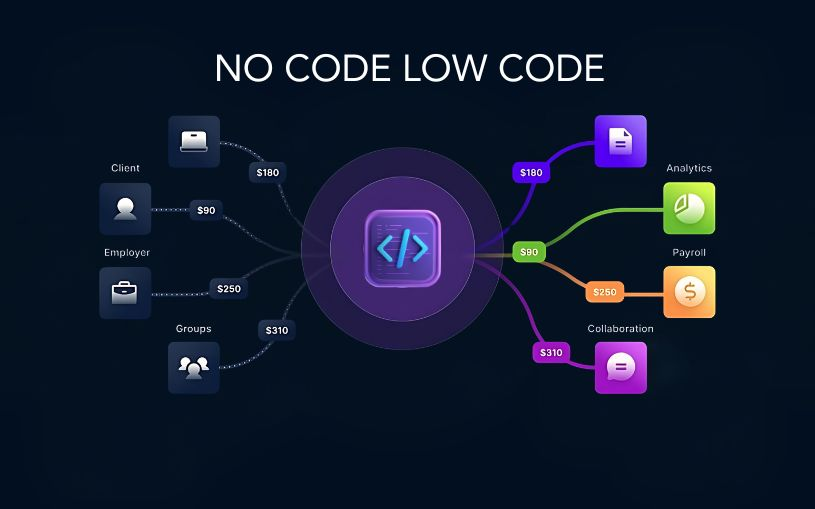
No code automation is important because it transforms how individuals and businesses operate in a digital environment. It eliminates the dependency on developers for building simple or complex workflows.
One of the biggest advantages is time-saving. Instead of performing repetitive tasks manually, users can automate them and focus on more important work. This improves productivity significantly.
Another key reason is cost efficiency. Hiring developers or IT teams for automation can be expensive. With the best no code automation tools, businesses can achieve the same results at a fraction of the cost.
It also improves accuracy. Human errors are common in repetitive tasks like data entry or email management. Automation ensures consistency and reduces mistakes.
Finally, it empowers non-technical users. Even someone with no coding experience can build powerful systems, which makes technology more inclusive and widely usable.
Detailed Step-by-Step Guide
Step 1: Identify Your Workflow Needs
Start by analyzing what tasks you want to automate. These could be email responses, data syncing, social media posting, or customer onboarding. Understanding your workflow is essential before choosing any tool.
Step 2: Choose the Right Tool
Select from the best no code automation tools based on your needs. Some tools are better for marketing, while others focus on business operations or integrations.
Step 3: Create an Account and Explore Dashboard
After selecting a tool, sign up and explore its dashboard. Most platforms provide tutorials and templates to help beginners get started quickly.
Step 4: Build Your First Automation
Use drag-and-drop features to create workflows. Set triggers like “when email is received” and actions like “save attachment to drive.”
Step 5: Test Your Workflow
Before fully implementing, test your automation to ensure everything works correctly. This helps avoid errors in real-world use.
Step 6: Optimize and Scale
Once your automation is working, optimize it for better performance. You can also expand it to include more complex workflows as your needs grow.
Benefits of No Code Automation Tools
- Saves time by eliminating repetitive tasks
- Reduces operational costs significantly
- Improves accuracy and reduces human errors
- Easy to use without technical skills
- Fast implementation and deployment
- Scalable for growing businesses
- Integrates with multiple apps easily
- Enhances productivity across teams
Disadvantages / Risks of No Code Automation Tools
- Limited customization compared to coding solutions
- Dependence on third-party platforms
- Some tools may have subscription costs
- Performance issues with complex workflows
- Security concerns if not configured properly
- Limited control over backend processes
- Integration restrictions with certain apps
Common Mistakes to Avoid
One common mistake is over-automating processes without understanding the workflow. This can lead to unnecessary complexity and confusion.
Another mistake is choosing the wrong tool. Not all platforms are suitable for every business need, so proper research is essential.
Many users also fail to test their workflows properly before deployment. This can result in broken automation and data errors.
Ignoring scalability is another issue. Some users build simple automations that do not support future growth, leading to system limitations later.
Lastly, not updating workflows regularly can cause inefficiencies. Automation systems should be reviewed and improved over time.
FAQs
1. What are the best no code automation tools?
The best no code automation tools include platforms that allow users to automate workflows without coding, such as tools for marketing, business operations, and app integration.
2. Are no code automation tools suitable for beginners?
Yes, these tools are designed specifically for beginners and non-technical users. They use simple interfaces and templates to make automation easy.
3. Can businesses rely on no code automation tools?
Absolutely. Many businesses use these tools to manage operations, improve efficiency, and reduce manual workload effectively.
4. Do no code automation tools require coding knowledge?
No, they are built for users with zero coding experience. Everything is handled through visual workflows and simple settings.
5. Are no code automation tools expensive?
Some tools are free, while others offer premium plans. The cost depends on features, usage limits, and business requirements.
6. What tasks can be automated using these tools?
You can automate emails, data entry, social media posting, customer support, file management, and many other repetitive tasks.
Expert Tips & Bonus Points
Start small when using automation tools. Focus on one workflow before expanding to more complex systems.
Always choose tools that integrate well with your existing apps. Compatibility is key for smooth automation.
Keep your workflows simple and organized. Overcomplicating processes can reduce efficiency instead of improving it.
Regularly monitor automation performance to ensure everything runs smoothly.
Use templates provided by platforms to save time and reduce setup errors.
Stay updated with new features, as no code platforms frequently introduce improvements that enhance functionality.
Conclusion
No code automation has revolutionized the way individuals and businesses handle digital tasks. With the help of the best no code automation tools, anyone can build powerful workflows without technical expertise. This accessibility has made automation a key part of modern productivity strategies.
From saving time to reducing costs, these tools offer numerous benefits that make them essential in today’s digital environment. Whether you are a beginner or an experienced professional, adopting automation can significantly improve your efficiency.
However, it is also important to understand the limitations and use these tools wisely. Choosing the right platform, avoiding common mistakes, and continuously optimizing workflows are crucial for long-term success.
As technology continues to evolve, no code solutions will become even more advanced and widely used. Learning how to leverage them now will give you a strong advantage in the future.Introduction
In today’s fast-moving digital world, businesses and individuals are constantly looking for smarter ways to save time and increase productivity. One of the most powerful solutions is automation, especially for people who do not have coding skills. This is where the best no code automation tools come into play. These platforms allow users to build workflows, connect apps, and automate repetitive tasks without writing a single line of code.
The demand for best no code automation tools has increased rapidly because they make technology accessible to everyone, from beginners to experienced marketers and business owners. Whether you want to automate emails, manage data, or connect different applications, these tools can handle it all with simple drag-and-drop interfaces. As a result, businesses can focus more on growth instead of manual work.
Another reason these tools are becoming popular is their flexibility. You don’t need to hire developers or spend months building systems. Instead, you can create powerful automation in minutes. From startups to large enterprises, everyone is adopting these solutions to improve efficiency and reduce operational costs.
In this article, you will learn what no code automation tools are, why they matter, how to use them effectively, their benefits, risks, and expert tips to get the most out of them.
What is No Code Automation?
No code automation refers to platforms that allow users to automate tasks and workflows without any programming knowledge. These tools provide visual interfaces where users can connect apps and set triggers and actions easily.
For example, you can create a workflow where receiving an email automatically saves attachments to cloud storage and sends a notification. This entire process happens without writing code, making it accessible to non-technical users.
The best no code automation tools typically offer drag-and-drop builders, pre-built templates, and integrations with popular apps like Google Workspace, Slack, and Shopify. This helps users streamline operations without technical barriers.
These tools are widely used in marketing, sales, customer support, and project management. They reduce human error and ensure tasks are completed consistently and efficiently.
Why is No Code Automation Important?
No code automation is important because it transforms how individuals and businesses operate in a digital environment. It eliminates the dependency on developers for building simple or complex workflows.
One of the biggest advantages is time-saving. Instead of performing repetitive tasks manually, users can automate them and focus on more important work. This improves productivity significantly.
Another key reason is cost efficiency. Hiring developers or IT teams for automation can be expensive. With the best no code automation tools, businesses can achieve the same results at a fraction of the cost.
It also improves accuracy. Human errors are common in repetitive tasks like data entry or email management. Automation ensures consistency and reduces mistakes.
Finally, it empowers non-technical users. Even someone with no coding experience can build powerful systems, which makes technology more inclusive and widely usable.
Detailed Step-by-Step Guide
Step 1: Identify Your Workflow Needs
Start by analyzing what tasks you want to automate. These could be email responses, data syncing, social media posting, or customer onboarding. Understanding your workflow is essential before choosing any tool.
Step 2: Choose the Right Tool
Select from the best no code automation tools based on your needs. Some tools are better for marketing, while others focus on business operations or integrations.
Step 3: Create an Account and Explore Dashboard
After selecting a tool, sign up and explore its dashboard. Most platforms provide tutorials and templates to help beginners get started quickly.
Step 4: Build Your First Automation
Use drag-and-drop features to create workflows. Set triggers like “when email is received” and actions like “save attachment to drive.”
Step 5: Test Your Workflow
Before fully implementing, test your automation to ensure everything works correctly. This helps avoid errors in real-world use.
Step 6: Optimize and Scale
Once your automation is working, optimize it for better performance. You can also expand it to include more complex workflows as your needs grow.
Benefits of No Code Automation Tools
- Saves time by eliminating repetitive tasks
- Reduces operational costs significantly
- Improves accuracy and reduces human errors
- Easy to use without technical skills
- Fast implementation and deployment
- Scalable for growing businesses
- Integrates with multiple apps easily
- Enhances productivity across teams
Disadvantages / Risks of No Code Automation Tools
- Limited customization compared to coding solutions
- Dependence on third-party platforms
- Some tools may have subscription costs
- Performance issues with complex workflows
- Security concerns if not configured properly
- Limited control over backend processes
- Integration restrictions with certain apps
Common Mistakes to Avoid
One common mistake is over-automating processes without understanding the workflow. This can lead to unnecessary complexity and confusion.
Another mistake is choosing the wrong tool. Not all platforms are suitable for every business need, so proper research is essential.
Many users also fail to test their workflows properly before deployment. This can result in broken automation and data errors.
Ignoring scalability is another issue. Some users build simple automations that do not support future growth, leading to system limitations later.
Lastly, not updating workflows regularly can cause inefficiencies. Automation systems should be reviewed and improved over time.
FAQs
1. What are the best no code automation tools?
The best no code automation tools include platforms that allow users to automate workflows without coding, such as tools for marketing, business operations, and app integration.
2. Are no code automation tools suitable for beginners?
Yes, these tools are designed specifically for beginners and non-technical users. They use simple interfaces and templates to make automation easy.
3. Can businesses rely on no code automation tools?
Absolutely. Many businesses use these tools to manage operations, improve efficiency, and reduce manual workload effectively.
4. Do no code automation tools require coding knowledge?
No, they are built for users with zero coding experience. Everything is handled through visual workflows and simple settings.
5. Are no code automation tools expensive?
Some tools are free, while others offer premium plans. The cost depends on features, usage limits, and business requirements.
6. What tasks can be automated using these tools?
You can automate emails, data entry, social media posting, customer support, file management, and many other repetitive tasks.
Expert Tips & Bonus Points
Start small when using automation tools. Focus on one workflow before expanding to more complex systems.
Always choose tools that integrate well with your existing apps. Compatibility is key for smooth automation.
Keep your workflows simple and organized. Overcomplicating processes can reduce efficiency instead of improving it.
Regularly monitor automation performance to ensure everything runs smoothly.
Use templates provided by platforms to save time and reduce setup errors.
Stay updated with new features, as no code platforms frequently introduce improvements that enhance functionality.
Conclusion
No code automation has revolutionized the way individuals and businesses handle digital tasks. With the help of the best no code automation tools, anyone can build powerful workflows without technical expertise. This accessibility has made automation a key part of modern productivity strategies.
From saving time to reducing costs, these tools offer numerous benefits that make them essential in today’s digital environment. Whether you are a beginner or an experienced professional, adopting automation can significantly improve your efficiency.
However, it is also important to understand the limitations and use these tools wisely. Choosing the right platform, avoiding common mistakes, and continuously optimizing workflows are crucial for long-term success.
As technology continues to evolve, no code solutions will become even more advanced and widely used. Learning how to leverage them now will give you a strong advantage in the future.
